Browser Fingerprint Test

How unique — and trackable is your browser?

Websites can identify you without cookies by reading dozens of tiny details about your browser and device. See the exact fingerprint yours reveals right now, and how it’s used to follow you across the web.

No cookies needed Runs in your browser Nothing stored
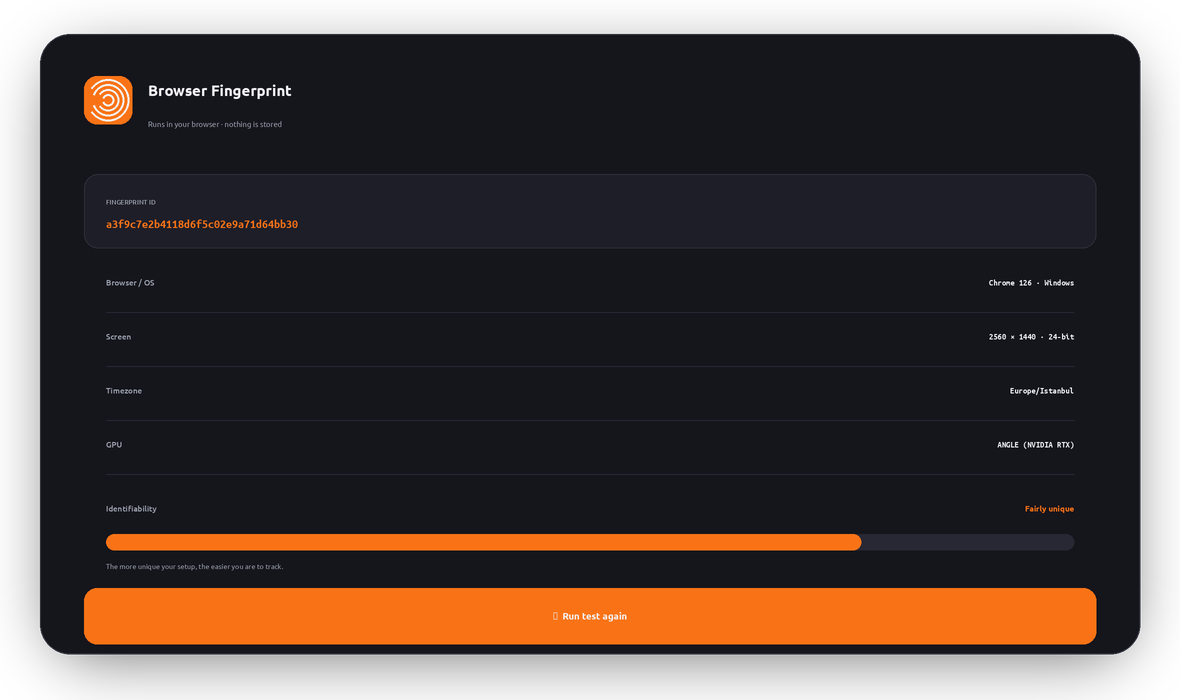
Your fingerprint ID
computing…
Analyzing… 
Every attribute is read locally to show what a site could see. Nothing leaves your device.
What it is

What is a browser fingerprint?

A browser fingerprint is a profile built from the small technical details your browser shares with every site: your screen size, operating system, language, timezone, installed fonts, graphics card, and how your device draws graphics and plays audio.

On their own, none of these identify you. But combined, they form a pattern that’s often unique to your exact device — a “fingerprint” that trackers can recognize again and again, without any cookies.

That’s what makes it powerful for advertisers and data brokers: you can clear cookies, use private mode, or switch IPs, and your fingerprint can still quietly follow you around the web.

Browser fingerprint result card showing a fingerprint ID, browser, screen, timezone and GPU, with an identifiability meter
Live demo

The canvas fingerprint trick

Sites can ask your browser to draw an invisible image. Tiny differences in your GPU, drivers, and fonts make the result render slightly differently on every device — producing a hash that’s remarkably unique. Here’s yours:

Canvas hash

Another device drawing the exact same image will almost always produce a different hash. That difference alone is a strong tracking signal.

Why it matters

Fingerprinting is cookieless tracking

Survives cookie clearing

Deleting cookies or using private mode doesn’t change your fingerprint — trackers still recognize you.

Cross-site ad tracking

Ad networks link your activity across unrelated sites to build a detailed behavioral profile.

De-anonymization

A unique fingerprint can tie “anonymous” browsing back to a single, identifiable device.

Price & content shaping

Your profile can influence the prices, offers, and content you’re shown online.

Works with your IP

Combined with your IP address, a fingerprint gets even more precise — which is why hiding your IP helps.

Hard to fully block

You can’t turn off every signal, but you can blend in — the steps below reduce your uniqueness.

Live simulation

How trackers link you across sites

Without protection, every site you visit sees the same fingerprint — so an ad network can stitch them into one profile. With anti-fingerprinting, each site sees something different. Flip it:

Anti-fingerprinting: OFFToggle to randomize your fingerprint per site
News site
Online shop
Ad network
Reduce it

How to shrink your fingerprint

You can’t become invisible, but you can look far less unique — and remove your IP as a signal. Pick your browser for the best built-in options:

General tips that help

This test runs entirely in your browser

Every attribute and hash is computed locally in JavaScript so you can see what sites could collect. Nothing is sent to LunoVPN, logged, or stored — the same no-logs principle behind everything we build.

FAQ

Browser fingerprinting — frequently asked questions

What is a browser fingerprint ID?
It’s a hash we generate from the technical details your browser exposes — screen, GPU, timezone, canvas rendering and more. The same device usually produces the same ID, which is exactly how trackers recognize you.
Is the “identifiability” score exact?
No — it’s an illustration. A true uniqueness measurement compares your fingerprint against millions of others in a database (like research projects AmIUnique or Cover Your Tracks). Our score reflects how much distinctive information your browser reveals.
Does clearing cookies change my fingerprint?
No. Fingerprinting doesn’t rely on cookies. Clearing cookies, using private/incognito mode, or logging out won’t change the fingerprint your browser produces.
Does a VPN stop browser fingerprinting?
Not by itself. A VPN hides your IP address — a major identifier — and encrypts your traffic, but the browser-based signals remain. Combine a VPN with an anti-fingerprinting browser for the strongest privacy.
What is a canvas fingerprint?
A site asks your browser to draw an image; subtle differences in your GPU, drivers and fonts make the output render slightly differently, creating a hash that’s often unique to your device.
How do I make my browser less unique?
Use a privacy browser with fingerprint resistance, keep it close to default, block tracking scripts, and hide your IP with a VPN. The goal is to blend in with the crowd rather than stand out.
Is this fingerprint test private?
Yes. It runs entirely in your browser, computes everything locally, and never sends your fingerprint to us. Nothing is logged or stored.
Explore more

More LunoVPN tools & features

Take back your anonymity

Hide your real IP and encrypt everything with LunoVPN — then pair it with a privacy browser to shrink your fingerprint.

Get LunoVPN
© 2025 LunoVPN — We don’t know who you are, and that’s by design.
Proudly engineered by LunoVPN