
Create a strong, random password in one click
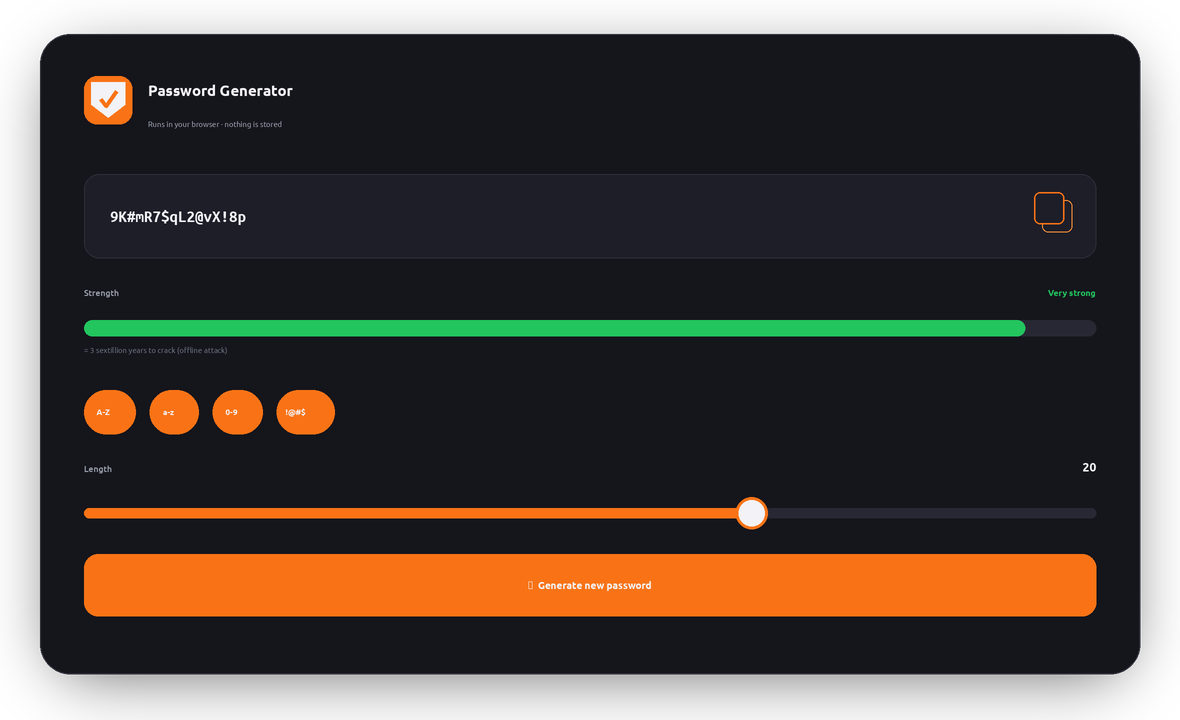
Weak and reused passwords are behind most account hacks. Generate a unique, uncrackable password below, check how long it would take to break, and learn how to keep every account safe.
Your password is the front door to your digital life
Email, banking, work, social media, cloud storage — almost everything you own online sits behind a password. If that password is weak, guessable, or reused on another site that gets breached, attackers can walk straight in.
The problem is scale. The average person now juggles dozens to hundreds of accounts, so people reuse the same few passwords everywhere. When one service is breached, those credentials are tried automatically across thousands of other sites — a technique called credential stuffing.
A strong password fixes this at the root: it’s long, random, and unique to each account, so it can’t be guessed, brute-forced in any reasonable time, or reused against you elsewhere.
Password weakness is a global problem
Commonly reported figures from industry breach and security research paint a clear picture:
Figures are widely-cited industry estimates and are shown for illustration — verify against current sources before publishing.
Watch a brute-force attack
Pick a password and unleash a simulated attacker guessing 100 billion combinations per second. See how fast a weak one falls — and why a strong one never does:
What makes a password strong
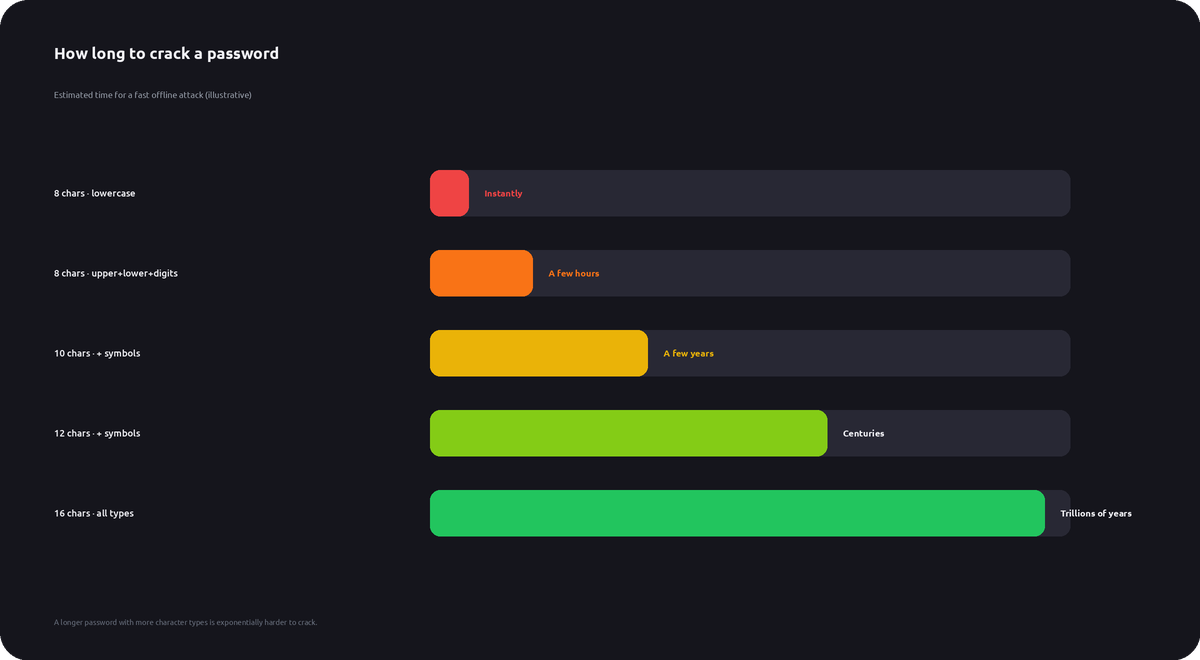
Strength comes down to entropy — how unpredictable a password is. Two things drive it up: how many possible characters you use, and how long the password is. Length matters most, because each extra character multiplies the number of possibilities.
The rules that actually matter
- Length first: aim for 16+ characters. A long passphrase beats a short cryptic one.
- Mix character types: upper- and lower-case, numbers, and symbols widen the search space.
- Make it random: no names, birthdays, dictionary words, or keyboard patterns (qwerty, 123456).
- Never reuse: a unique password per account stops one breach from becoming many.
- Don’t “l33t-speak”: swapping a→@ or o→0 barely helps — attackers expect it.
How attackers crack passwords
Brute force
Trying every possible combination. Fast against short passwords, hopeless against long random ones.
Dictionary attacks
Guessing real words, names, and known-common passwords first — which is why “password1” falls instantly.
Credential stuffing
Replaying passwords leaked from one breach across thousands of other sites you reused them on.
Phishing
Tricking you into typing your password into a fake login page. No password survives being handed over.
Rainbow tables
Pre-computed hashes that instantly reverse unsalted, weakly-hashed passwords from a leak.
Keyloggers & malware
Recording what you type. A VPN and good device hygiene reduce exposure on risky networks.
How to keep every account safe
Use a unique password everywhere
Generate a fresh random password for each account with the tool above.
Use a password manager
You can’t remember 100 random passwords — let a manager store and autofill them.
Turn on 2FA
Two-factor authentication blocks logins even if a password is stolen.
Change breached passwords
If a site you use is breached, replace that password immediately — and anywhere you reused it.
Never share or email them
Passwords sent by email or chat can be intercepted or sit in inboxes forever.
Use a VPN on public Wi-Fi
LunoVPN encrypts your traffic so logins can’t be sniffed on shared networks.
Your passwords never leave your device
This generator runs entirely in your browser using your device’s cryptographic randomness. Passwords are never sent to our servers, logged, or stored — the same no-logs principle behind everything LunoVPN builds.
Password generator — frequently asked questions
Is this password generator safe to use?
How long should my password be?
What makes a password “strong”?
Are passphrases as safe as random passwords?
How is “time to crack” calculated?
Should I reuse a strong password on several sites?
Do I still need a VPN if my passwords are strong?
More LunoVPN tools & features
Strong passwords + a private connection
Lock down your accounts, then encrypt everything you do online with LunoVPN.
Get LunoVPN