
How unique — and trackable is your browser?
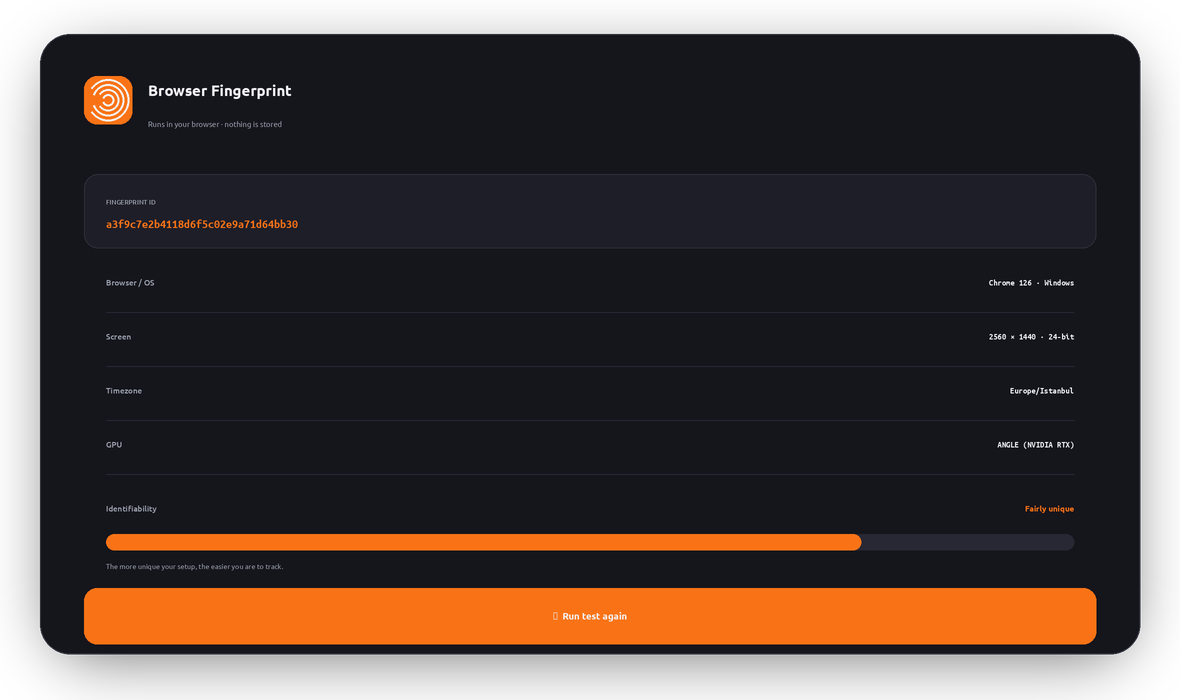
Websites can identify you without cookies by reading dozens of tiny details about your browser and device. See the exact fingerprint yours reveals right now, and how it’s used to follow you across the web.
What is a browser fingerprint?
A browser fingerprint is a profile built from the small technical details your browser shares with every site: your screen size, operating system, language, timezone, installed fonts, graphics card, and how your device draws graphics and plays audio.
On their own, none of these identify you. But combined, they form a pattern that’s often unique to your exact device — a “fingerprint” that trackers can recognize again and again, without any cookies.
That’s what makes it powerful for advertisers and data brokers: you can clear cookies, use private mode, or switch IPs, and your fingerprint can still quietly follow you around the web.
The canvas fingerprint trick
Sites can ask your browser to draw an invisible image. Tiny differences in your GPU, drivers, and fonts make the result render slightly differently on every device — producing a hash that’s remarkably unique. Here’s yours:
Another device drawing the exact same image will almost always produce a different hash. That difference alone is a strong tracking signal.
Fingerprinting is cookieless tracking
Survives cookie clearing
Deleting cookies or using private mode doesn’t change your fingerprint — trackers still recognize you.
Cross-site ad tracking
Ad networks link your activity across unrelated sites to build a detailed behavioral profile.
De-anonymization
A unique fingerprint can tie “anonymous” browsing back to a single, identifiable device.
Price & content shaping
Your profile can influence the prices, offers, and content you’re shown online.
Works with your IP
Combined with your IP address, a fingerprint gets even more precise — which is why hiding your IP helps.
Hard to fully block
You can’t turn off every signal, but you can blend in — the steps below reduce your uniqueness.
How trackers link you across sites
Without protection, every site you visit sees the same fingerprint — so an ad network can stitch them into one profile. With anti-fingerprinting, each site sees something different. Flip it:
How to shrink your fingerprint
You can’t become invisible, but you can look far less unique — and remove your IP as a signal. Pick your browser for the best built-in options:
General tips that help
- Use a privacy-focused browser (Brave, Firefox with resistFingerprinting, or Tor Browser for the strongest protection).
- Keep your browser stock: unusual extensions, fonts, and settings make you more unique, not less.
- Block scripts & trackers with a reputable content blocker so fingerprinting scripts never run.
- Hide your IP with a VPN. A VPN doesn’t stop fingerprinting on its own, but it removes your real IP — a major identifier — and encrypts your traffic. Pair LunoVPN with an anti-fingerprinting browser for the best result.
This test runs entirely in your browser
Every attribute and hash is computed locally in JavaScript so you can see what sites could collect. Nothing is sent to LunoVPN, logged, or stored — the same no-logs principle behind everything we build.
Browser fingerprinting — frequently asked questions
What is a browser fingerprint ID?
Is the “identifiability” score exact?
Does clearing cookies change my fingerprint?
Does a VPN stop browser fingerprinting?
What is a canvas fingerprint?
How do I make my browser less unique?
Is this fingerprint test private?
More LunoVPN tools & features
Take back your anonymity
Hide your real IP and encrypt everything with LunoVPN — then pair it with a privacy browser to shrink your fingerprint.
Get LunoVPN