WebRTC Leak Test

Is your VPN leaking your real IP?

WebRTC can reveal your true IP address straight from your browser — even when a VPN is protecting everything else. Run the live test to see exactly what your browser is exposing right now.

Instant & automatic Runs in your browser Nothing stored
Testing your browser…Gathering WebRTC candidates
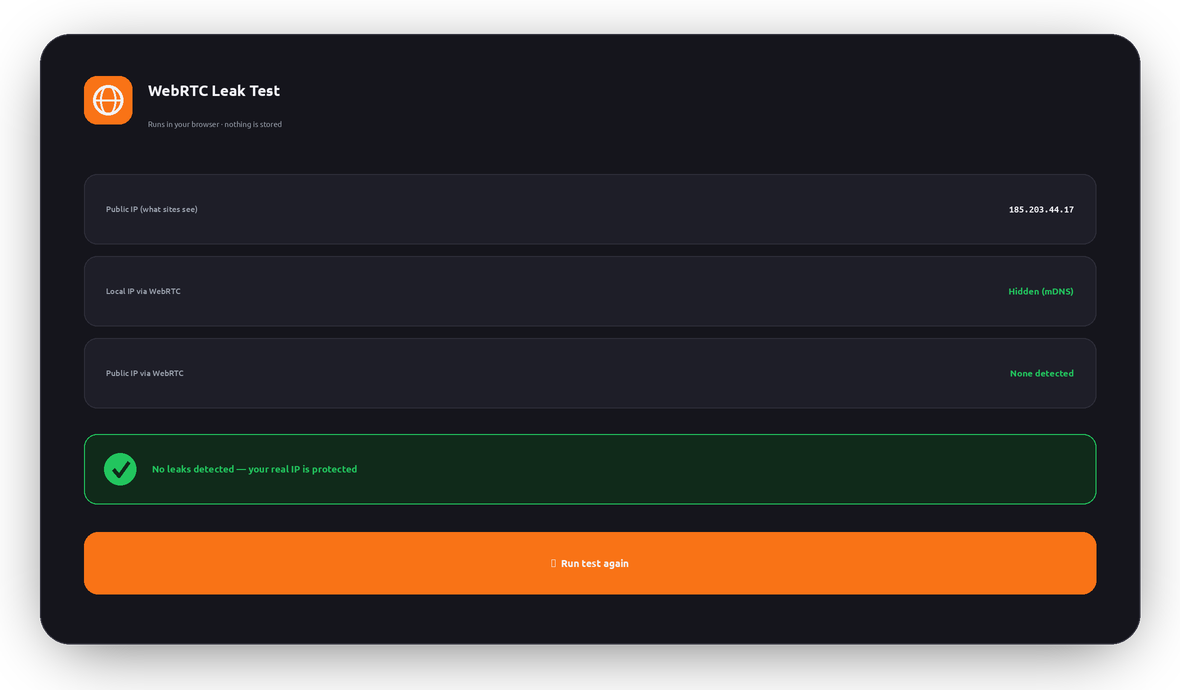
Public IP (what sites see)
Local IP via WebRTC
Public IP via WebRTC
Uses a public STUN server to see which IPs your browser reveals. Results never leave your device.
What it is

What is a WebRTC leak?

WebRTC (Web Real-Time Communication) is built into every modern browser to power video calls, voice chat, and peer-to-peer file sharing without plugins. To connect two people directly, it needs to discover their IP addresses — and it does that with a helper called a STUN server.

The problem: WebRTC can ask that STUN server “what’s my IP?” outside your VPN tunnel. If your VPN or browser doesn’t block it, a website can quietly run this in JavaScript and read your real IP address — even though every other connection is safely routed through the VPN.

That’s a WebRTC leak: your VPN looks like it’s working, the website shows a VPN IP, but WebRTC hands over your true location behind the scenes.

WebRTC leak test result card showing no public IP exposed and a protected status
Live simulation

How a leak slips past your VPN

Your normal traffic goes through the VPN tunnel — but a WebRTC request can take a shortcut to a STUN server and expose your real IP. Flip WebRTC leak protection to see the difference:

WebRTC leak protection: ONToggle to see what happens when it’s off
Normal traffic — through the VPN tunnel
You LunoVPN Website
Website sees 185.203.44.17 (your VPN IP) — safe.
WebRTC request — the sneaky shortcut
You STUN server
Blocked by leak protection — your real IP stays hidden.
Who’s affected

Why WebRTC leaks matter

Your VPN is undermined

You pay for privacy, but a leaked real IP reveals your identity and rough location anyway.

Any site can check silently

No permission prompt is needed — a few lines of JavaScript can read the exposed IP in the background.

Geo-restrictions return

Streaming and blocked sites can spot your real country and shut you out despite the VPN.

Your ISP is revealed

A leaked IP maps back to your internet provider and region, weakening your anonymity.

It’s a browser issue

Even a perfectly configured VPN can leak if the browser’s WebRTC isn’t handled — so testing matters.

It’s fixable

The right VPN and browser settings close the leak completely — see the steps below.

Fix it

How to stop WebRTC leaks

The most reliable fix is a VPN that handles WebRTC for you — LunoVPN routes and protects WebRTC so your real IP can’t escape. You can also harden your browser directly. Pick yours:

The bulletproof option

Browser tweaks help, but they can reset with updates and don’t cover every app. Running LunoVPN keeps your real IP hidden across your whole device — WebRTC, DNS, and everything else — with a strict no-logs policy. Re-run the test above with LunoVPN connected to confirm you’re clean.

This test runs entirely in your browser

The WebRTC candidates are read locally in JavaScript to show you what any website could see. Nothing is sent to LunoVPN, logged, or stored — the same no-logs principle behind everything we build.

FAQ

WebRTC leaks — frequently asked questions

What does “Public IP via WebRTC” mean in the result?
It’s a routable IP address your browser revealed through WebRTC. If it matches your VPN’s IP, that’s expected. If it shows a different address — likely your real ISP IP — while you’re on a VPN, that’s a leak.
I’m on a VPN but the test shows an IP — am I leaking?
Not necessarily. If the exposed IP is the same as your VPN IP shown at the top, WebRTC is only revealing the VPN address, which is fine. A leak is when a different public IP (your real one) appears.
Why do I only see a “.local” address?
Modern browsers hide your local IP behind an mDNS .local hostname on purpose. That’s good — it means your private LAN address isn’t being exposed.
Can a website really read my IP without asking?
Yes. WebRTC needs no permission to gather candidates, so a page can collect the exposed IPs silently in the background. That’s exactly why leaks are dangerous.
Does disabling WebRTC break anything?
Disabling it can break video calls and some voice/chat features. A better approach is a VPN that protects WebRTC, or a browser setting that forces WebRTC through the VPN rather than turning it off entirely.
Does LunoVPN stop WebRTC leaks?
Yes. LunoVPN keeps your real IP hidden across your whole device, including WebRTC, so a page only ever sees your VPN IP. Reconnect and re-run this test to confirm.
Is this WebRTC leak test private?
Completely. It runs in your browser, reads candidates locally, and never sends your IPs to us. Nothing is logged or stored.
Explore more

More LunoVPN tools & features

Seal the leak with LunoVPN

Hide your real IP everywhere — WebRTC, DNS, and every app — with a strict no-logs VPN.

Get LunoVPN
© 2025 LunoVPN — We don’t know who you are, and that’s by design.
Proudly engineered by LunoVPN